
ChristianAzinn/labse-gguf
labse-gguf
Model creator: sentence-transformers
Original model: labse
Original Description
The language-agnostic BERT sentence embedding encodes text into high dimensional vectors. The model is trained and optimized to produce similar representations exclusively for bilingual sentence pairs that are translations of each other. So it can be used for mining for translations of a sentence in a larger corpus.
Description
This repo contains GGUF format files for the labse embedding model.
These files were converted and quantized with llama.cpp PR 5500, commit 34aa045de, on a consumer RTX 4090.
This model supports up to 512 tokens of context.
Compatibility
These files are compatible with llama.cpp as of commit 4524290e8, as well as LM Studio as of version 0.2.19.
Meta-information
Explanation of quantisation methods
<details> <summary>Click to see details</summary> The methods available are:
- GGMLTYPEQ2_K - "type-1" 2-bit quantization in super-blocks containing 16 blocks, each block having 16 weight. Block scales and mins are quantized with 4 bits. This ends up effectively using 2.5625 bits per weight (bpw)
- GGMLTYPEQ3_K - "type-0" 3-bit quantization in super-blocks containing 16 blocks, each block having 16 weights. Scales are quantized with 6 bits. This end up using 3.4375 bpw.
- GGMLTYPEQ4_K - "type-1" 4-bit quantization in super-blocks containing 8 blocks, each block having 32 weights. Scales and mins are quantized with 6 bits. This ends up using 4.5 bpw.
- GGMLTYPEQ5K - "type-1" 5-bit quantization. Same super-block structure as GGMLTYPEQ4K resulting in 5.5 bpw
- GGMLTYPEQ6_K - "type-0" 6-bit quantization. Super-blocks with 16 blocks, each block having 16 weights. Scales are quantized with 8 bits. This ends up using 6.5625 bpw Refer to the Provided Files table below to see what files use which methods, and how. </details>
Provided Files
Examples
Example Usage with llama.cpp
To compute a single embedding, build llama.cpp and run:
./embedding -ngl 99 -m [filepath-to-gguf].gguf -p 'search_query: What is TSNE?'You can also submit a batch of texts to embed, as long as the total number of tokens does not exceed the context length. Only the first three embeddings are shown by the embedding example.
texts.txt:
search_query: What is TSNE?
search_query: Who is Laurens Van der Maaten?
Compute multiple embeddings:
./embedding -ngl 99 -m [filepath-to-gguf].gguf -f texts.txtExample Usage with LM Studio
Download the 0.2.19 beta build from here: Windows MacOS Linux
Once installed, open the app. The home should look like this:

Search for either "ChristianAzinn" in the main search bar or go to the "Search" tab on the left menu and search the name there.

Select your model from those that appear (this example uses bge-small-en-v1.5-gguf) and select which quantization you want to download. Since this model is pretty small, I recommend Q8_0, if not f16/32. Generally, the lower you go in the list (or the bigger the number gets), the larger the file and the better the performance.
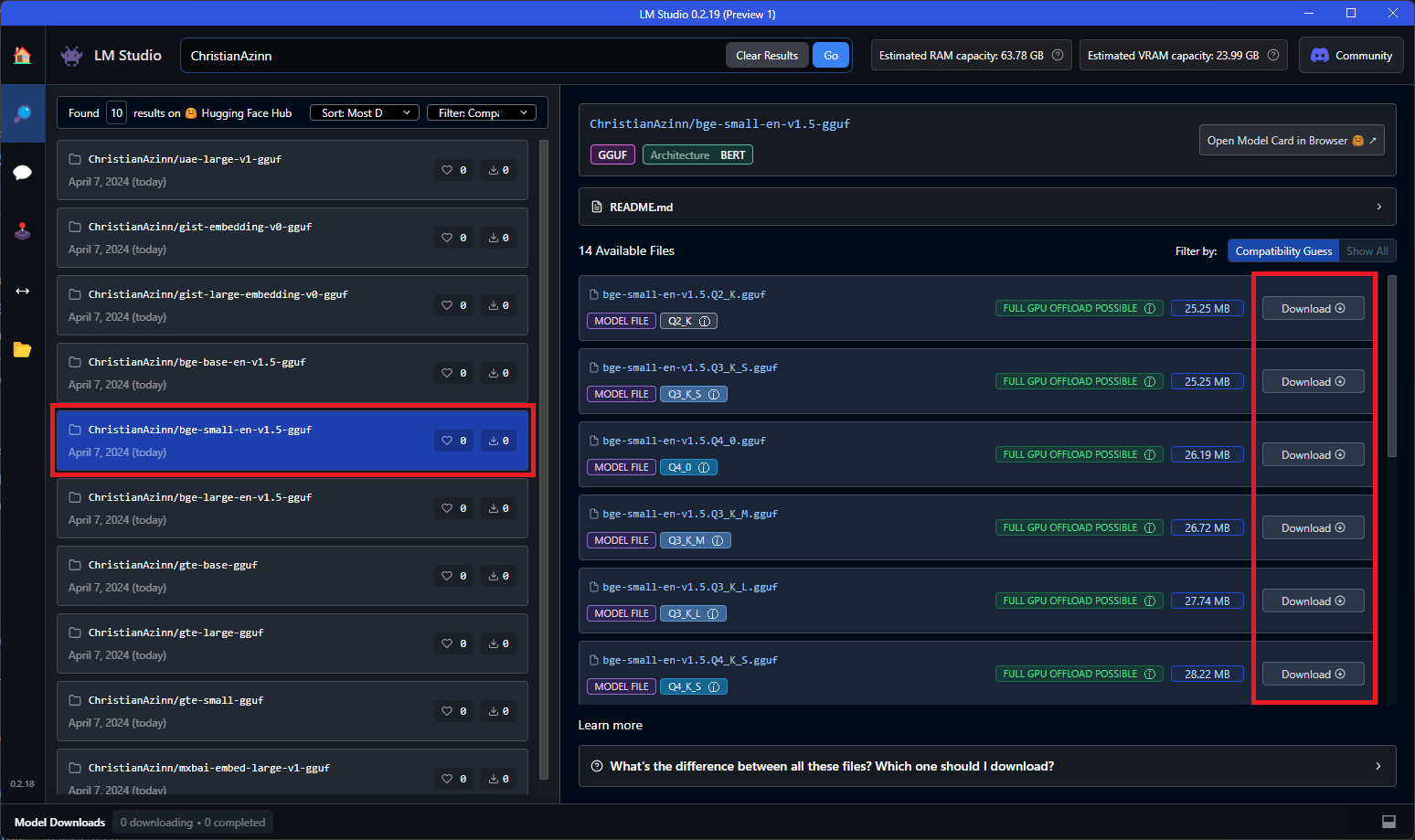
You will see a green checkmark and the word "Downloaded" once the model has successfully downloaded, which can take some time depending on your network speeds.

Once this model is finished downloading, navigate to the "Local Server" tab on the left menu and open the loader for text embedding models. This loader does not appear before version 0.2.19, so ensure you downloaded the correct version.

Select the model you just downloaded from the dropdown that appears to load it. You may need to play with configuratios in the right-side menu, such as GPU offload if it doesn't fit entirely into VRAM.

All that's left to do is to hit the "Start Server" button:
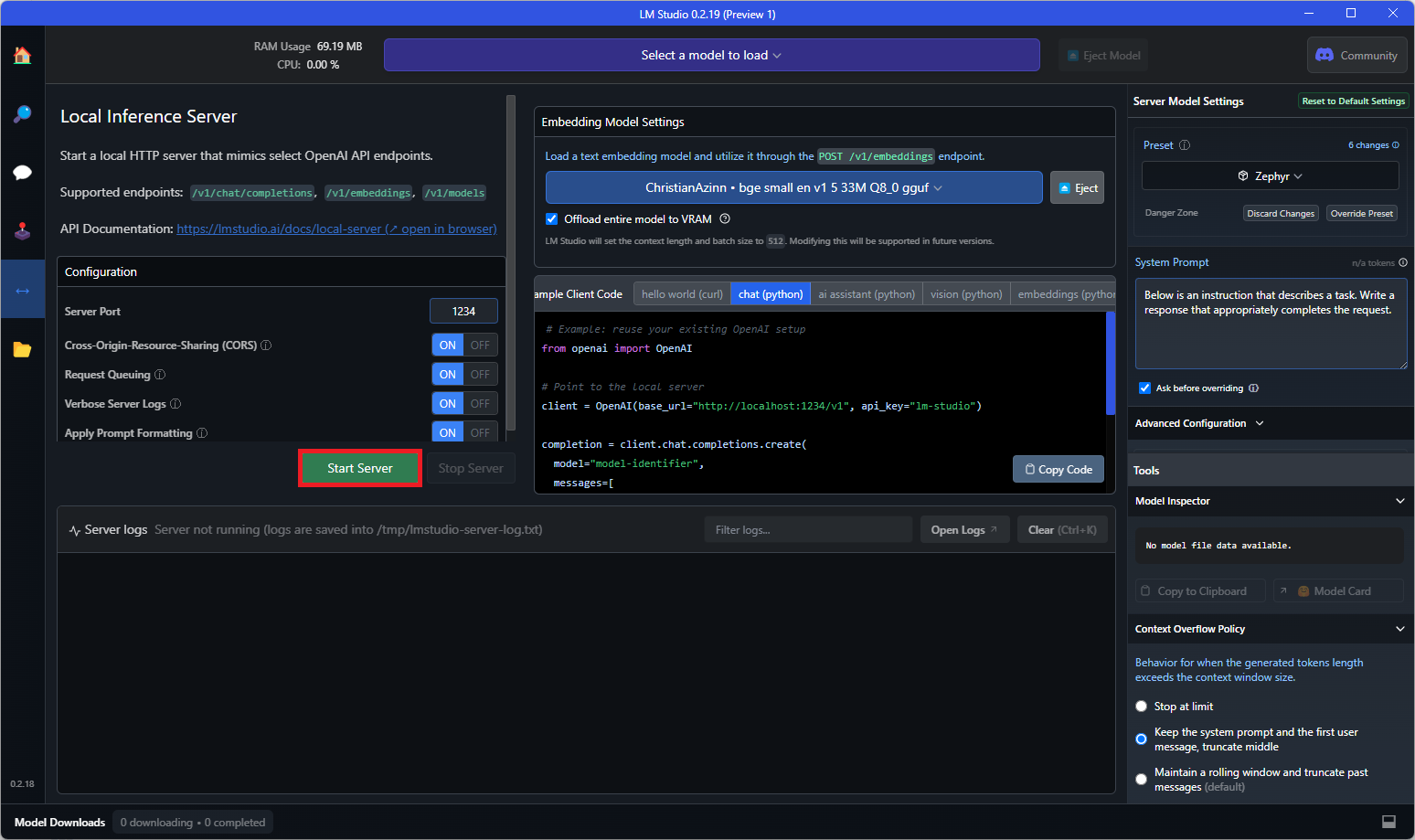
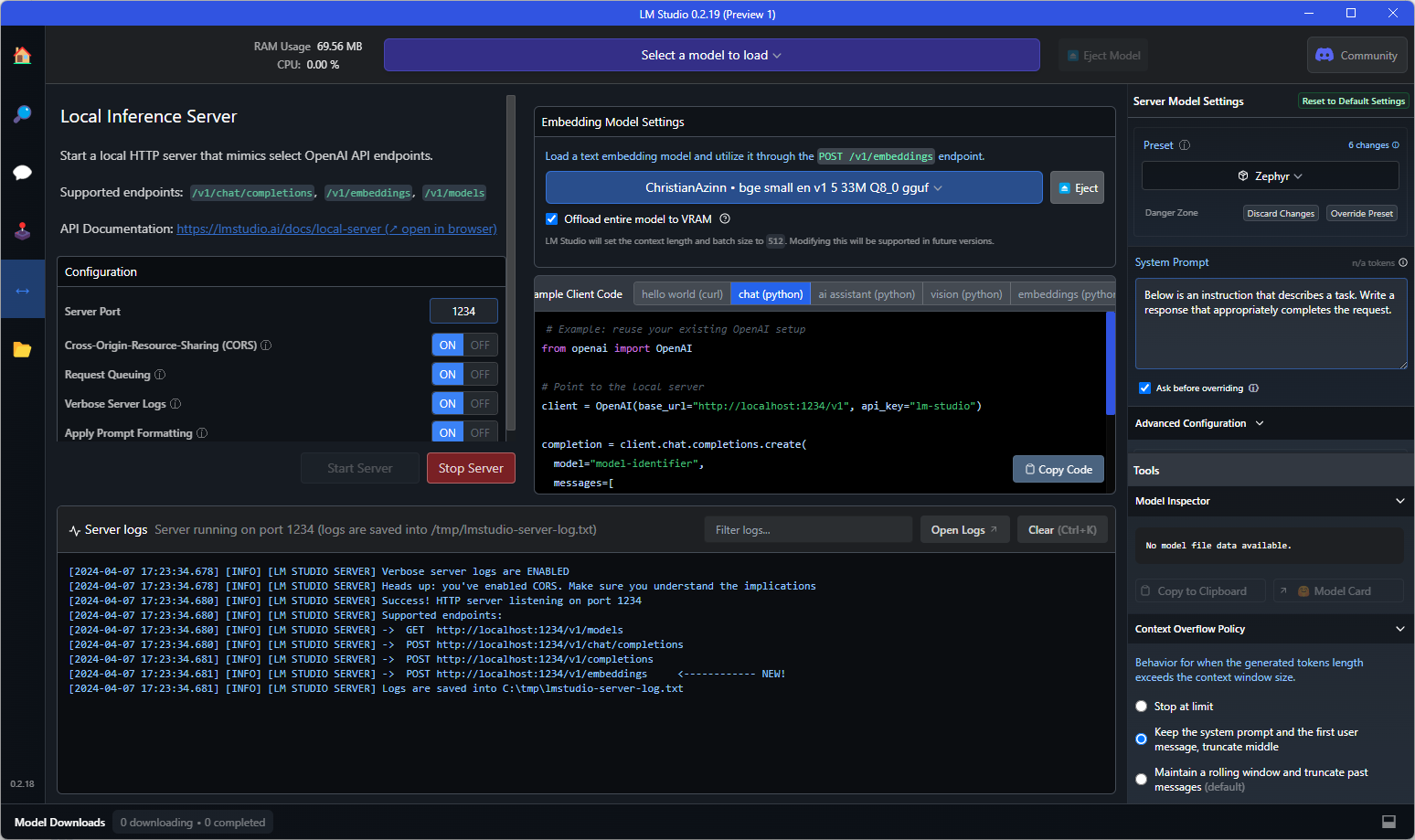
And if you see text like that shown below in the console, you're good to go! You can use this as a drop-in replacement for the OpenAI embeddings API in any application that requires it, or you can query the endpoint directly to test it out.
Example curl request to the API endpoint:
curl http://localhost:1234/v1/embeddings \
  -H "Content-Type: application/json" \
  -d '{
    "input": "Your text string goes here",
    "model": "model-identifier-here"
  }'
For more information, see the LM Studio text embedding documentation.
Acknowledgements
Thanks to the LM Studio team and everyone else working on open-source AI.
This README is inspired by that of nomic-ai-embed-text-v1.5-gguf, another excellent embedding model, and those of the legendary TheBloke.